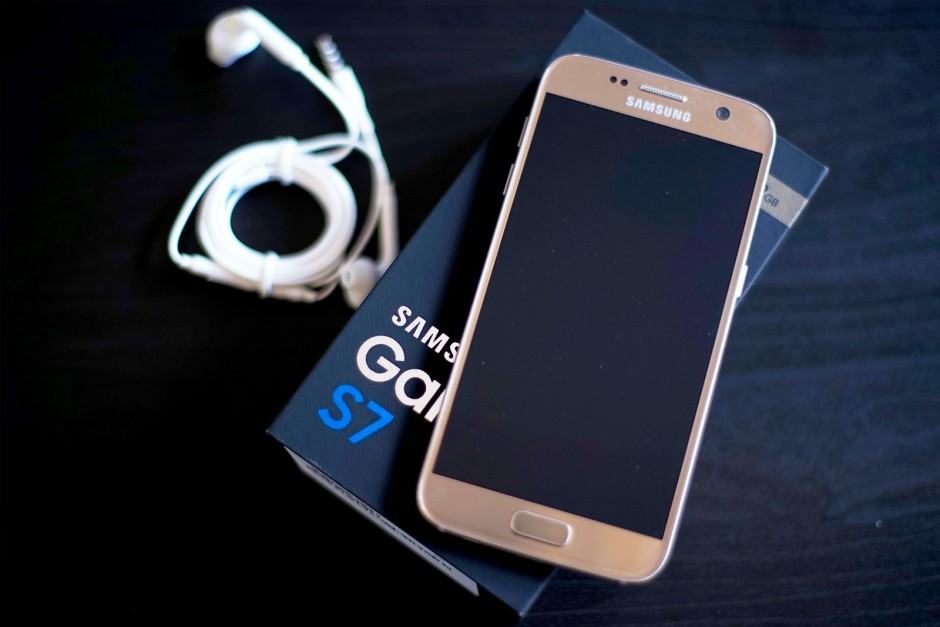
Prior to its unveiling back in March, the Samsung Galaxy S4 was one of the most anticipated smartphones of 2013. It has big boots to fill after following the hugely successful Galaxy S III, and to do that it’s been equipped with a new 5-inch 1080p display, a quad-core Snapdragon 600 processor, and an entire plethora of software features you won’t find anywhere else.
But is the Galaxy S4 worth the upgrade if you already have a Galaxy S III, and does this device have what it takes to stay one step ahead of its competitors? I’ve been using it for the past few weeks to find out.
One of the key advantages to Android’s openness is the ability to customise the look of the OS to your liking. With third party launchers, widgets and themes, you can give your Android device a beautiful new look with just a few taps. No wonder third party launchers like Nova, Apex, and GoLauncher are among the most popular apps on the Play Store.
These launchers also support icon packs, allowing that extra level of customization. If you’re bored with the stock icons of your Android device, you can use icon packs to give your device a brand new look within minutes. Considering that there is no shortage of beautiful icon packs in the Play Store, we’ve chosen ten of the best to get you started.
The Galaxy S4 is now available in nearly every major market around the world, including the United States, Europe, and Asia. Like with the Galaxy S2 and S3, Samsung has released two variants of the Galaxy S4 – the I9500 that uses the Octa-Core Exynos SoC, and the LTE variant that uses Qualcomm’s Snapdragon SoC.
If you own the international variant of the Galaxy S4 (I9500), or the Korean variant (SHV-E300S/K) that uses the Exynos 5 SoC, and are looking to root it, here is how to do so the right way.
The official Twitter for Android client — even after its new Holo-fied update — is terrible. It takes ages to load new tweets, does not make use of expandable notifications on Jelly Bean devices, and the color scheme is an eye-sore.
Thankfully, the Play Store is now filled with a bunch of polished and feature-filled third-party Twitter clients that are much better than the official client in almost every way. To help you pick the best one for you, we’ve compiled a list of our favorites.
Check out the best third-party Twitter apps for Android below.
Announced back in early January, the Sony Xperia Z was the first Android flagship of 2013, and one of the first smartphones to go global with a 1080p display. It’s also one of the very few that boasts a dust- and water-resistant form factor, which means accidental spills aren’t an issue here.
Inside that form factor, you’ll find a ton of high-end specifications that include a 1.5GHz quad-core Snapdragon S4 Pro processor, Adreno 320 graphics, 2GB of RAM, and LTE connectivity. Like a lot of high-end Sony smartphones, the Xperia Z also has cutting-edge cameras, with a 13-megapixel Exmor RS snapper on its back, and a 2.2-megapixel camera on its front.
The Xperia Z will be battling it out with the likes of the HTC One and the Samsung Galaxy S4 this year, and Sony will be hoping that the device can finally earn it some sizable market share in a cut-throat smartphone market. But does the handset have what it takes? I’ve been testing it for two weeks to find out.
The Galaxy SIV is official, and it is a beautiful powerhouse of a phone with features unseen in any other device, but how does Samsung’s latest flagship phone stack up against the competition, spec-by-spec? Check out the chart below to find out.
I’ve been in love with the iPhone for the past five years. I got the original as soon as it went on sale in the U.K. in November 2007, and I’ve had every model Apple has released ever since. My job has given me the opportunity to play with plenty of other devices over the years — including those powered by Android, BlackBerry, and Windows Phone — but I’ve always remained loyal to the iPhone and iOS.
That was until a couple months ago, when my contract ended and it was time to decide which smartphone I wanted for the next two years. I already have the iPhone 5 — I bought it unlocked when it was launched back in September — and I wanted an Android device to replace the Samsung Galaxy Nexus I broke late last year. So I decided to pick up the new LG Nexus 4.
I was lucky; I didn’t have to wait six weeks for the device to arrive from Google Play. My carrier had plenty in stock, so a unit was delivered to my door the day after I ordered it. I was looking forward to testing it out, but I figured I’d play around with it for a little bit, then switch straight back to my iPhone 5 for everyday use. Like the Galaxy Nexus, I thought the Nexus 4 would be mostly used for work — testing apps and writing the odd tutorial for Cult of Android.
We simply love wallpapers. They’re one of the first changes we make to our Android devices and often represent our moods, interests, or wicked alter egos. They’re as unique as the individuals who use them and while some people pick one and stick with it, others change them more often than a teenager’s Facebook status. Each day we’re going to feature a free wallpaper for you to download and use on your Android device. Depending on your device, you may want to use your favorite photo editing software to resize the image for a better fit. Once that’s done, apply and enjoy. Your home screen can thank us later. Cheers!