top-stories

android-l-n5-n7

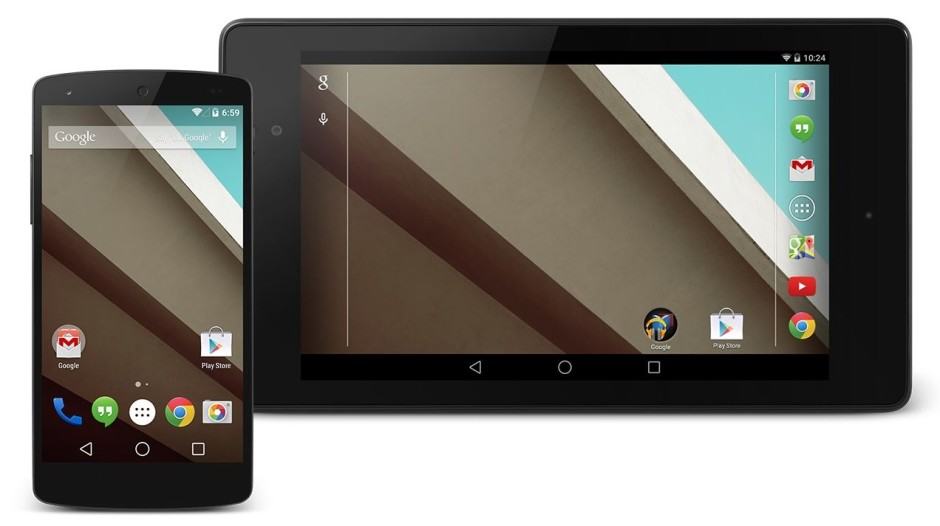
If you have a Nexus 4 or the original Nexus 7, you can now get your hands on Google’s Android L preview, courtesy of an unofficial port from third-party developers. Installation is as simple as flashing the ROM with a custom recovery, but you should proceed with caution.

KitKat-big

Last week, Google released the Developer Preview builds of Android L for the Nexus 5 and the Wi-Fi variant of Nexus 7 (2013). Even though this was a developer preview, it did not stop many impatient Android lovers from installing it on their device.

Now, if you are done with most of your app crashing and random bugs ruining your Android L experience, and are wondering how to go back to Android 4.4 KitKat, follow the instructions below.

new-android-logo

Last week at its I/O conference in San Francisco, Google announced Android L — which it pegs as the biggest update to the OS ever. Yes, even bigger than Android 4.0 Ice Cream Sandwich, with which Google finally started taking design and UI performance seriously.

In its 3 hour keynote, Google explained all the new features that Android L packs including Project Volta, a new Material Design, a faster and more efficient runtime and more. However, even apart from the above changes, Android L includes a lot of new goodies, which Google did not mention at its keynote, probably due to the lack of time.

Worry not though, as we list down five such features below, which will greatly benefit the end users once Android L lands on devices later this year.

icloud-android

Believe it or not, but Android and iCloud can work together in perfect harmony.

Over the past few weeks, we’ve received a number of emails from readers who are either considering or already in the process of migrating from an iPhone or iPad enquiring if it’s possible to configure an iCloud account on an Android-powered device. The quick and simple answer to that question is yes, it is possible, but it can be a bit tricky — so we’ve decided to create this comprehensive ‘How-To’ guide.

So sit back, relax and follow the steps below to set up your iCloud email account on your Android smartphone or tablet. Before we start, though, you’ll need to open the stock Email client on your handset. The design of the application will vary depending on your particular device and the launcher you’ve chosen to use, but its overall function should be the same.

install-snapchat-nexus-7-any-other-android-tablet.1280x600

For the past two days, Snapchat has secretly implemented a ton of new location-exclusive filters in its Android application and despite not having an official announcement, they are proving to be incredibly popular amongst avid users of the service who have eagerly taken to Twitter to share their latest ‘snapsterpieces’ with the new filters applied.

Next Page »