Posts tagged android-4-2

android+jellybean+widgets

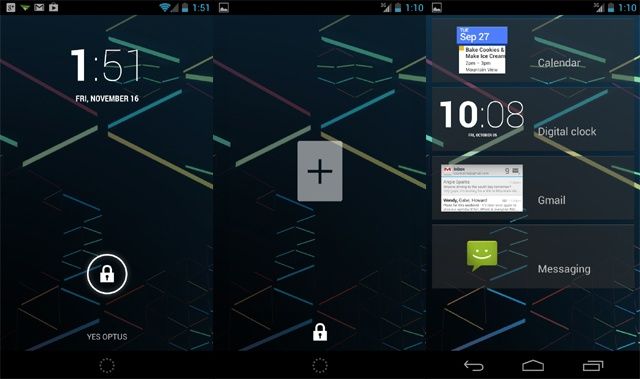
Android 4.2 Jelly Bean did not bring any new major feature, but it did bring some usability enhancements like a gesture typing keyboard and lock screen widgets. The current implementation of lock screen widgets in Android 4.2 is pretty poor, though, with the restriction of only one widget and no permanent maximised mode.

However, the ability to keep multiple lock screens with a widget should be a decent workaround for the majority of people out there.

Lock screen widgets will provide access to all your important updates or notifications from your favorite apps or services in just a single glance, without requiring you to unlock your phone every single time. They are especially handy if you use a pattern or numeric lock on your smartphone, since you can view all your important notifications without the need to unlock your phone.

Here are our favorite lock screen widgets for Android.
Untitled-1

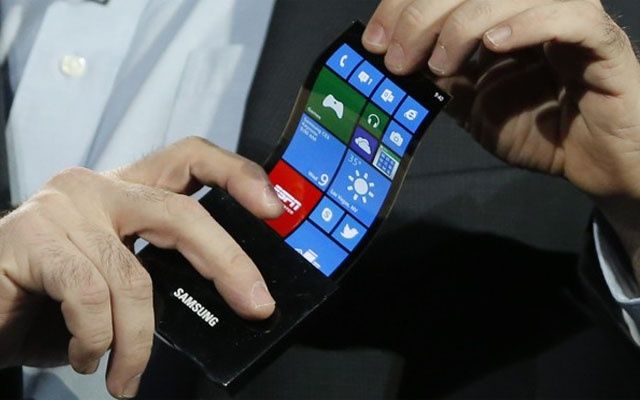
Later this year, Samsung will unveil its third-generation Galaxy Note, and there has been a lot of speculation regarding its hardware — as you might expect for such a popular device. According to the Korean news site Asiae, the Galaxy Note III will feature a flexible AMOLED display that’s completely unbreakable.

The BBC has issued an update to its iPlayer app for Android, introducing a number of new features that include improved video performance over W-Fi, and support for smartphones and tablet running the latest Android 4.2 Jelly Bean software. It has also vowed to continue improving the app for Android users, though it notes that the process will take some time.

Android’s built-in malware scanner can’t be completely trusted just yet.

With its Android 4.2 Jelly Bean upgrade, Google provided its users with extra protection by introducing an extended malware scanner that’s designed to prevent malicious applications from making their way onto your smartphone or tablet. Not only does it scan the apps you download from Google Play, but also those you acquire from third-party sources, such as Amazon’s Appstore.

It gives Android users peace of mind. The only problem is, new research has proven that the feature is largely worthless. When Google’s malware scanner was put through its paces, it was able to detect just 15.32% of malicious apps.

Among all the great new features introduced in Android 4.2, is a lesser known hero: Bouncer. Bouncer is the automated malware scanning system that Google introduced back in February. Its mains function is to analyze any app or new developer account uploaded to the Google Play store for known malware, spyware, or just plain bad behavior. In Android 4.2, Google has expanded the role of Bouncer, allowing him to keep tabs on apps you just insist on side-loading.

Next Page »