Google has made good on their promise to raise the allowable size limit for Android apps. Today they have raised the traditional 50MB limit to a whopping 4GB! While the majority of apps fall well below the previous app limit, this expansion accommodates larger, more demanding apps such as 3D interactive games. All the files will now be hosted on the Android Market and eliminate the need for a separate download from a third party host and should save users some time and surprise as they’ll get to see exactly how large these apps are before downloading them.


Today would have been Theodor Seuss Geisel’s 108th birthday. Of course we know him as Dr. Seuss, one of the most revered children’s book authors of all time. Many people and organizations will be celebrating his works today and even Hollywood is doing its part by bringing the classic Thorax (auto-correct fail) The Lorax to life in an amazing looking 3-D CGI film (in theaters today). While his books have entertained and educated children for generations, recent technology has breathed new life into his classics via digital interactive children’s books. Oceanhouse Media, a leader in DICBs, has also joined the celebration by discounting their Dr. Seuss apps on both Android and iOS.
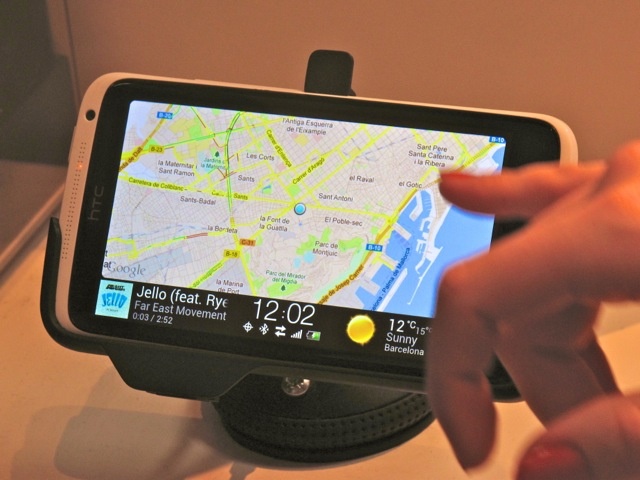

BARCELONA, MOBILE WORLD CONGRESS 2012 — When we stopped by HTC’s booth today, we were impressed enough by HTC’s new line-up of One flagship phones, but what really caught our eye was some of the great stuff they were doing with Android software. HTC’s got a great new music app that unites all of your music whether stored locally or in the cloud; they’ve also got a great new camera app that can take fantastic stills from video. But what we really liked was what HTC was doing in the last mobile frontier, the automobile, with HTC Car.
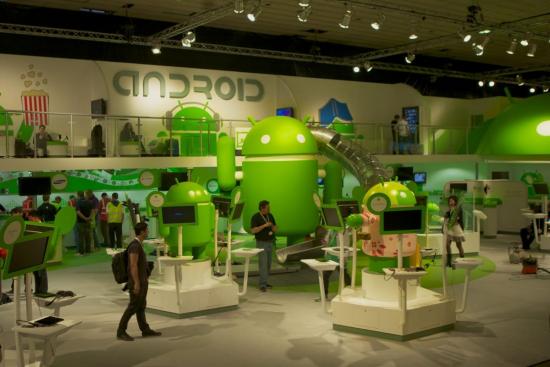
To show just how fast Android has grown, Andy Rubin busted out a few numbers from last year’s Mobile World Congress and wasn’t shy about sharing them. Year-on-year growth rate for Android has exceeded 250% with more than 850,000 Android devices being activated each day. That’s an astounding number, and with over 300 million Android device around the world, users are going to be looking for apps. Last year at Mobile World Congress, Android announced the Android Market had reached more than 150,000 available apps. Now, they have announced over 450,000 apps available with over one billion app downloads happening every month!
Twitter has pushed out an update for both the Android and iOS mobile apps which brings back a few popular features as well as adding a couple new ones. Also, owners of the Kindle Fire will be happy to know that the Twitter app is now available via the Amazon App Store, and if you happen to own a Barnes & Noble NOOK Color or NOOK Tablet, you can expect to receive the app on February 23rd. So what’s new? According to the Twitter Blog, here’s what you can expect:


