
Friday Night Fights: Android’s Virtual Buttons Vs. iOS’s Home Button

Friday Night Fights: Android’s Virtual Buttons Vs. iOS’s Home Button

Friday Night Fights: Android’s Virtual Buttons Vs. iOS’s Home ButtonLaaaaaaaaaaadies and Gentlemen, welcome to Friday Night Fights, a new series of weekly deathmatches between two no-mercy brawlers who will fight to the death — or at least agree to disagree — about which is better: Apple or Google, iOS or Android?

After this week’s topic, someone’s going to be spitting teeth. Our question: Which is better? Android’s three virtual buttons or iOS’s physical home button?

In one corner, we have the 900 pound gorilla, Cult of Mac; in the opposite corner, wearing the green trunks, we have the plucky upstart, Cult of Android!

Place your bets, gentlemen! This is going be a bloody one.

Vincent Messina, Cult of Android

Friday Night Fights: Android’s Virtual Buttons Vs. iOS’s Home Button

Today we’re going to take a look at the virtual buttons introduced in Android and debate whether or not having software specific on-screen virtual buttons is a better solution to Apple’s single button design.

Most of you are using a device that includes those archetypal hardware or capacitive buttons. You know the ones: home, search, back, menu. Of course as you all know, the order of those buttons also varies manufacturer to manufacturer. The different button locations and lack of manufacturer consistency (along with many other reasons), ultimately led Google to abandoned the static hardware buttons in favor of the new on-screen virtual buttons you find in Honeycomb and Ice Cream Sandwich. In my opinion, this was one of the best decisions by Google, and has taken Android into what I believe will be the future of mobile device design.

While Apple has for years implemented the simple design of a one button function hub (hardware button), I believe having any hardware button(s) to be an unnecessary hindrance to functionality and design aesthetics as we move into a future of larger screens and multimedia content. The advent of the virtual button has created a wealth of newfound functionality, increased flexibility, and an overall better looking phone. Having a hardware button fixed to a particular position of a device limits that designated area space and results in a large bezeled section of unused, wasted space. As we lean more and more towards using our mobile devices for things like gaming and watching movies, this space becomes valuable property that could be put to better use. Take away the iPhone’s hardware button and the bezel that surrounds it and you  instantly add an additional inch of screen real estate without changing the size of the phone (now what iPhone user wouldn’t want that?). With that being said, let’s look at some of the advantages of having on-screen virtual buttons.

Gaming

Mobile gaming has advanced tremendously over the years and console quality games on our mobile handsets are now a reality. More people are using their mobile devices as portable hand-held gaming systems, and developers are working towards a multi-platform gaming ecosystem, one where users can take their games anywhere they go. Having more screen on which to enjoy your game and use on screen controls is very important. Gone are the days of cramming virtual D-pads and action buttons into a 3.5’ area. Most importantly, gone are the days of accidentally exiting out of a game due to those annoying capacitive buttons being positioned right where you need to hold your device. I can’t tell you how much my gaming experience has improved since the purchase of my no button Galaxy Nexus. Simply amazing!

Watching Movies

Watching movies and videos has become a visually stunning experience on the larger HD screens, and thanks to the removal of hardware buttons, we can now comfortably hold our devices without worrying about closing out the movie or forcing manufacturers to create larger bulkier phones to compensate for fitting both hardware buttons and a larger screen.

Design

Having universal software specific virtual buttons creates a more consistent and recognizable design across Android and helps with the whole “fragmentation” monkey.  Since the virtual buttons can be dimmed or hidden by developers, apps can be made to take advantage of a larger full screen design. Manufacturers can now design slicker, more minimalistic looking devices, void of large ugly bezels and hardware buttons that just look odd when you’re holding your device in multiple orientations.

Mods 

With Android and its open environment, the modding possibilities for virtual buttons is endless. With software controlled virtual buttons, mods can be created to provide a wealth of additional information and customizations. Custom text and colors can be added to the virtual buttons, and even entire new buttons can be added or removed to fit a user’s needs. Maybe you prefer only one Applesque button, or perhaps you miss the old 4 button setup, mods can make it possible. You can be completely free of hardware forced design and create your own personal setup thanks to software based virtual buttons.

Overall

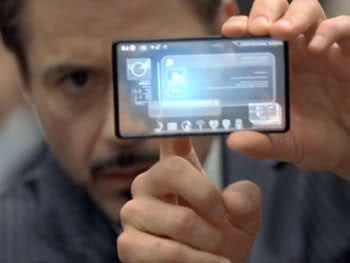
In conclusion, having on-screen virtual buttons that change orientation with you, create a more functional and easier experience while freeing users and manufacturers from hardware constraints. They free up unused space and allow for larger screens without the need to increase the overall size of a device. They provide a more optimal gaming experience and help encourage greater multimedia experiences via larger screens. I believe the hardware buttons have outlived their use and will go the way of the dinosaur very soon. There’s simply no need for them when they can be built into the software, and my money is on a buttonless future. As we approach the new age of flexible screens and transparency concepts, the only way we’re going to see Tony Stark’s future phone, is if we get rid of the buttons.
Friday Night Fights: Android’s Virtual Buttons Vs. iOS’s Home Button

John Brownlee, Cult Of Mac

Apple’s minimalistic philosophy when it comes to physical buttons starts way back in the early 80s, when Steve Jobs took the design of the first mouse from Xerox’s PARC labs and, to make it cheaper, dropped all but one mouse button. It’s an obsession that has continued unabated ever since, most recently culminating (on the mouse front) in the buttonless, multitouch Magic Mouse and Magic Trackpad.

When Apple released the first iPhone, they applied the same concept towards buttons in phones as they had with mice. Instead of having a T9-interface or QWERTY keyboard, the iPhone shipped with just one physical interface button. It was the iconic iOS home button, a small round button slap in the center of the bottom of the device and tattooed with a simple, rounded-edge square. The button only did one thing by itself — brought you to the homescreen — but Apple had seen the truth: once you have a touchscreen, one button is all you need.

It’s a memo Google never got. When Google remade Android in the image of iOS as a touchscreen operating system in late 2007, they decided that every Android phone should ship with four hardware buttons: Search, Home, Back And Menu. Giving credence to Apple’s “one button to rule them all” approach, all of these buttons except home are basically made redundant by a solid software UI.

• Search – It makes sense, of course, that Google of all people wanted to push a dedicated search button on customers, but it’s unnecessary. Most apps don’t actually require search functionality, making a universal hardware button for it pointless, and for the apps that do require search, a software search box does the trick just as well. It’s telling that this was the first hardware interface button many handset makers started leaving off their devices entirely (for example, Samsung).

• Menu – Again, having a dedicated hardware button for menu is something that can be handled just as well by a touchscreen UI. What’s so confusing about Menu on Android is that it’s not consistent: sometimes it will lead to app settings, sometimes to favorites, sometimes to shortcuts, and sometimes not do anything. If a hardware interface button is going to be so inconsistent and superfluous, why have it all?

• Back – Android certainly has its share of ‘Back’ button defenders, but the biggest problem with the Back button, like most of Android’s buttons, is its inconsistency. Using Android’s back button is a mystery: it doesn’t tell you where it’s taking you to, it assumes you, as a user, know exactly where you are and where you have been. Compare this to iOS’s virtual back button, which always tells you where you’re going and never moves you out of an app (that’s what the Home button is for).

Given all the above, I can see why you’d think that Google’s recent decision to give device makers the option of abandoning physical buttons altogether by building virtual buttons into Honeycomb and Ice Cream Sandwich are a move in the right direction. But I don’t. It seems just like typical Android half-assedness: a bizarre attempt to one-up Apple in a buttonless game Cupertino’s not actually trying to play.

Here’s the main question I’d ask: if Android’s interface buttons are superfluous enough to abandon physically, why do you need them to be built into the core OS virtually? In other words, if a device doesn’t really need a Search hardware button, or a Menu hardware button, then why not just allow developers to build on-screen elements for these functions as they see fit? Why have universal software buttons at all? What’s the point?

The point is backwards compatibility, of course. The Android Marketplace is filled with apps that have been — to one extent or another — programmed with those buttons in mind, and ditching them entirely would cause many of these apps to stop working. The virtual buttons, then, are basically a graceless stop-gap: hardcoded Ice Cream Sandwich support for antiquated apps. They’re pointless.

Pointless… and fundamentally broken. Alan Zeino has a great post about this over at his blog, but what it all comes down to is that Google has replaced dumb hardware buttons with equally dumb virtual buttons. Zeino’s summary? “There is no science nor structure to this navigation system at all, and I shudder to think of what a novice… might think of this utter clusterfuck.”

That says it well. Whether you’re using four physical Android buttons or three virtual Android buttons, there’s no universal “science or structure” to trying to navigate Android using its built-in interface buttons. Maybe Vincent’s right and we don’t need hardware buttons at all anymore, but pointing to Android as being proof of that presumed fact is priceless. Android’s having no more luck getting its software buttons right than it did getting its hardware buttons right. Android’s buttons — whether virtual or hard — are a morass of confusing contradictions.

Now compare that to iOS and its home button. Maybe it doesn’t need to be physical, maybe it does, but it works. The home button always goes to the homescreen. Everything else is handled by in-app UI. Serene. Simple. Stress-free. And iconic. Just the way Apple likes it.


Well, readers? You’ve seen us trade blows, but if this fight spills out onto the street about Android vs. iOS, whose back would you take? Let us know in the comments.

DON'T MISS
Apple Copies Android, Ditches Home Button On iPad 3

Apps you might like

  • http://twitter.com/OscarAlaniz Oscar Alaniz 

    I once tried a Samsung Galaxy. The three buttons were very confusing, when they worked, because I had to reset to factory settings every morning to get them working.  After the third morning, the Galaxy went back to the store.

    • Arman Safari

      wow that was 100% bullshit. Never heard anyone saying they had to factory reset to get the buttons to work. They work 100%. sorry i forgot you’re just trolling.

  • http://www.facebook.com/den.williams Den Williams

    Personally in the last year I’ve had an iPhone, and iPad, and Android phone with physical buttons, and an Android phone with touch sensitive buttons. I appreciate the concept of simplicity of the single button, but often find myself wanting (in particular) a menu and back button.

    As John mentions, things like menu and search can be built into the app UIs… and they generally are. The buttons usually provide for an alternative to the UI. However, each app is different – there is NO STANDARD position or icon for the search – the menu & search button is always in the same place! Menu and search are definitely not necessary, but almost always welcome!

    The back button is always useful. Period.

    However if the buttons are not always in the same spot, they lose their usefulness. Google should have just standardised the order of the buttons IMO.

  • http://www.facebook.com/people/Luis-Dominguez/100000411307848 Luis Dominguez

    I personally like the menu button on Android.  I do not like that I have to go into the ios settings to find the setting for that app.  I know some apps have settings in them, but if you wanted to say turn off notification, you have to go to settings and find the app then turn it off.  I guess different strokes for different folks.

  • Anonymous

    There should be a poll so that readers can vote on who had the best argument.

    • http://www.facebook.com/profile.php?id=141300911 Jordan Clay

      Like the Idea, but mac would win 80%-20%.  people wouldn’t even take the argument into consideration.  

      • Anonymous

        Really? It would be a poll with both Cult of Mac and Cult of Android readers polling. Wouldn’t that even it out? Also, I am a huge Mac fan and read 80+% of the articles on Cult of Mac, yet for this argument, I think that Android would win by a landslide.

      • Piotr Teicher

        “One button to rule them all”… You remember what they did with ring like that? :P

  • http://www.facebook.com/profile.php?id=736785026 Justin Chapman

    Having first used iphone and then android, I have to say that I prefer android and having a back button and menu button is much easier than clicking on the screen to go back in ios and going into the settings app on ios. Funny some apps on ios store settings within the settings app and sometimes within the actual app.   I just find it easier and faster to do everything on android than ios. Not to mention multitasking is much better on Android.  Also something about being locked into certain approved apps and only being able to run the latest firmware and being unable to revert back, and worrying about accidently upgrading and losing functionality that you gained by jailbreaking.  I just don’t miss all of the iphone BS lockdown.  

  • http://www.facebook.com/people/Bob-Forsberg/100001387343371 Bob Forsberg

    While not a fan of seeing Android stuff on Cult of Mac, this face-off actually had merit. Well done.

  • http://www.facebook.com/cawadmin Caw Ryan Welty

    Okay we get it, there is a cult of android…..can we have our old cult of mac site back, sans android info….or at least change the name to cult of gadgets or something.

  • Anonymous

    I’ve had two Android phones and an iPhone and an iPad. When I first switched to iPhone, I missed the back button in particular. But as I got used to the iPhone, I began to appreciate how the back function was built into each app and told you where it would take you. That negates the need for a dedicated physical or software back button.

    The only other button I used with regularity was the home button and that is front and center on the iPhone. It feels very natural. One can make the argument that it doesn’t need to be hardware, and I’d probably agree as my phone is currently winging its way to California for Apple to repair it’s messed up home button. However, that being said, I much prefer the iOS setup of one button in its current placement!

    Just my two cents…

  • http://twitter.com/CollegiateLad Mr. Williams

    I find it difficult to care either way…

  • Anonymous

    I find it funny that the Cult of Mac “person” argues that hardware buttons are useless but then suggestions that having exactly one is somehow perfect. No hardware buttons would be best as both sides seem to argue for. The Android side reached the appropriate conclusion while the Apple side didn’t quite seem to get there . . .

    • Anonymous

      I didn’t argue at all against hardware buttons. I argued against worthless, confusing hardware buttons. Pretty telling that an Android user can’t tell the difference between the two, though.

      • DasithWijesiriwardena

        What makes you think one is perfect? Having used both the iPhone and Android’s I tend to prefer the back button on android (atleast)

        Having a back button on the UI takes up space in the display area of the APP too. Also consider that having no physical buttons allows the phone to have no bezel.

  • http://twitter.com/J__Bravo Brandon

    I like the Apple home button. It makes sense. every time you push it, it takes you to the same place. I can always count on it to get me where I want to go. 

    • Piotr Teicher

      Every time you press this button, kitty dies. Just saying ;)

    • DasithWijesiriwardena

      so does the home button on Android.

  • Anonymous

    idk, if an apple fan actually used a galaxy nexus for a month, they’d be blown away at what they could do. it’s a no brainer, androids take the cake, especially now with ICS. 
    first the home button. simple, takes you home, whenever you press it. absolutely necessary. duh.

    back button. when an iphone user has to go back, they have only two ways which constrict functionality. They can only go back by lead of current app, or just back home. similar to android, but not quite. On android, the back is built into the software so the app developer doesn’t waste space on their ideas. the user is conformed to the OS and can enjoy the design or functionality of the individual app in whole without a bar taking up space on an already small screen. Its a win win for everyone. 

    And John, its not confusing. i dont see how it could be, its the simple function of back. Your used to it on your computer, why not on your phone? Oh, john you must mean that all the different android phones having different types of the “back” function confuses you. well thats the market, not the individual– if it even is confusing to begin with. its a back button. if i see it, i press it. idk what makes it so hard to find, not every person needs a big single button to figure out how a system works. simple as that, and better for the user and developer in the way it builds the interface. 

    also it even adds to system unity that you can then add a multitasking button at a simple click. and the menu button dispersing into the choice of the developer is also a better funciton. That way, its all in the power of the developer, whether they want it built into the app navigation, or the system navigation as a button just like before..pretty ingenious. i do miss the search button though, it was incredibly useful for secondary apps.

    No illogical debate on why simplicity is better needed. simplicity in this case actually takes away for the developer, the users, and from the over all sense of what navigation is and how it works, and how it has worked for decades in computing. its a sacrifice for the sake of the illusion of simplicity, when it just really makes it constraining. just because its mobile doesn’t mean it needs to be completely bare minimum. a dedicated back button is very much necessary, just as a dedicated home button, they go hand in hand.

    Hands down, android wins this round.  

    • http://dwightk.com dwightk

      what do you do if an app that has hidden the software buttons freezes?

      • ddevito

        it doesn’t freeze up, dolt. Read a book and learn urself. 

        • http://dwightk.com dwightk

          Your android experience is different than mine.

      • Anonymous

        If the capacitive buttons freeze then that would mean the whole thing is frozen along with the hardware buttons it does have so it wouldnt matter anyway. Itd be time to take out the battery. which we all kmow is impossible on an idevice.

  • ddevito

    I’m glad Google did the on-screen buttons first. Now Apple will copy Google (again). On-screen buttons are definitely the way to go. They’re intuitive, they’re adaptive, and the best part is that they allow for more screen real estate when media is playing. Perfect. The navigation buttons make apps more advanced and allow far more functionality than iOS apps.

    The iOS home button is archaic and always takes you back to the home screen. That’s fine but after a while it gets annoying and you find yourself abruptly leaving the app you’re in rather than going back. It’s like Apple’s one click mouse. Sounded like a great idea but after a while Apple finally realized it was too primitive. It will definitely change soon.

    • http://dwightk.com dwightk

      apple has had on screen navigation built into apps from day 1.

      • ddevito

        no, that’s just within apps not the OS

        • http://dwightk.com dwightk

          “The navigation buttons make apps more advanced and allow far more functionality than iOS apps.”

    • Anonymous

      The “screen real estate” issue is a non start. Hardware buttons aren’t a part of the screen, whereas software buttons are. So while its true that your have more screen real estate available on Android when using something like a game or a media app, you have LESS available screen real estate the rest of the time. On iOS devices, 100% of the display is devoted to app at hand, 100% of the time.

      Don’t bank on the home button going away any time soon, and I certainly wouldn’t expect to see Apple takes cues from Android here.

      • Anonymous

        when you play video, the sys nav slides off the screen, and for games it dims, leaving 4.3” of space for usage. your right it does take up some space at some instances

        but wait, you have a small 3.7 inch screen to worry about, idk i’m pretty sure you dont know what your talking about

        • Anonymous

          I’m pretty sure I’m not talking about screen dimensions here(I have zero desire for a larger phone), but even with the smaller screen size, the iPhone 4/4S still has more screen real estate pixel-for-pixel than most(though not all) Android phones. So my point remains — using software buttons means less available screen real estate for apps and the OS to utilize, regardless of screen size.

  • http://www.facebook.com/hum.denise Hum Chloe Denise

    ANDROID FTW! :D

  • http://www.facebook.com/yeohsengjoo Jacques Yeoh

    About the buttons thingy, I’m very upset that my galaxy tab 7 plus that has NO BUTTON.
    Without any button, while i playing games such as fruit ninja on the GT 7 plus, the bottom of the screen has a ugly black line that contains all those virtual button.
    Everytime while i’m super excited on slicing those fruits, i accidentally pressed those buttons, n poof, minimized. 

    It does not only happens in fruit ninja, others hd game is the same as well.

    What i want is FULL SCREEN, not only on games, other apps as well.

    The bar is just so FUGLY

  • http://dwightk.com dwightk

    software freezes therefore software buttons might be cool, right up until you need a way to deal with a frozen full-screen app. 

    • ddevito

      maybe iOS has that problem but Android doesn’t

      • http://dwightk.com dwightk

        That’s interesting, my experience is that in both OSes freezes are rare however they are more common in Android. 

      • Anonymous

        Both OSes have that problem from time to time, and neither one handles the situation very well.

    • Anonymous

      ICS already has a solution for this. The sys nav bar slides off the screen…which means while your on the full screen app, you can slide up the nav bar. duh. and exit a frozen app. and if apps freeze, android presents a force close option…

      now note, whether the sliding nav bar option shows, though by default, can still not present itself by fault of the developer. which can happen. 

      and then what else is there, if the system freezes, you just reboot…and by anyones experience, rebooting a frozen system is just as common on iOS as compared to Android. 

  • Anonymous

    iOS is the clear winner.

  • Anonymous

    Vincent makes several point, all the same – screen real estate (which doesn’t make any sense as the three virtual buttons are always there and interfere with the screen real estate anyway). If you really need screen real estate, get a tablet. John makes several point why the android button system (hard or virtual) is unnecessary and does not work. The one hard home button is SO handy and makes jumping back to the home screen and switching apps SO quick, also dwightk makes a very good point. Winner – IOS by a knockout.

    • Anonymous

      Those three buttons can disappear, with a slide option (by virtue of the developer) so you dont know what your talking about. And obviously a great deal of people buying 4+ inch screens on their phones obviously think 3.5 is way too small to begin with. No one wants a squint screen.

      And of john, as I’ve written in point earlier, is equally confused as to how the system works in whole. In fact, the degrees in which multitasking can increase with a dedicated system back button increases by a lot in time and in steps. Also, simplifies anyone need for functionality, helping things move along way more quick.

      Also dwightk overlooks the functionality of the nav bar to hide and come up at will via a sliding function (placed by virtue of a developer) which i assume your not aware off, nor is john. 

      “Apple is just a little slow sometimes” – David, commenting right after you

      And now, clearly, as you don’t know in full nor appreciate the navigation laid out by both systems, while strongly biased toward apple, must admit that Android wins this round. And rightly so, by a knockout.

    • Anonymous

      Well firstly i really dont think iphone users, with a 3.5 inch screen, have any sort of arguement against android concerning real estate. Secondly, androids capacitive buttons certainly do not intrude on real estate. Android generally speaking has certain screen demensions that go with the OS. So just because if you took out the buttons does not mean the screen gains any real estate. Because then it would screw with the dimensions. The screen is the size it is supposed to be, and the buttons take the space they were meant to in the first place. Rather, the manufacturers design the device elongated with extra space at the bottom to accommodate the buttons to begin with., 

  • Anonymous

    I’m not an Android user. I’m a happy iPhone 4 user. However, I find the home button useless. You argued about useless digital buttons and how they should be simply built into the interface or applications themselves yet Apple holds onto a hardware button when Android has abandoned hardware buttons completely. Apple is just a little slow sometimes but it’s okay, I still love my i4.

  • Anonymous

    You bitch at android for being too similar, but then bitch at it again for being different? Im sorry, but youve already lost your credibility Mr. Brownlee.

  • Anonymous

    Im getting a little tired of how The apple side always shit talks android while android is just presenting the pros of their platform. 

  • Anonymous

    Stevie Wonder appreciates his physical iPhone button when activating Siri on his iPhone 4S. A physical button is more important to people with physical handicaps.

    • http://www.facebook.com/people/Oskar-Wennersten/716248363 Oskar Wennersten

      But, other than siri, could a blind person actuallty use a touch-screen smartphone? I mean, they can’t use the keyboard and one (or three) physical buttons don’t really make up for that. For them a feature phone would work a lot better. I know I often miss the physical keyboard if I’m typing while doing something else like walking or driving, with a physical keyboard you didn’t have to look at the screen at all while texting or to answer a call. I choose to live with it because I get a large screen that I can use for a lot of stuff but for a blind person that won’t really help them at all.

      • Anonymous

        iPhone has voice over commands, and can even read text, so the answer is yes…but I don’t think he would be viewing to many pictures on the camera

  • http://www.facebook.com/profile.php?id=1768281709 Charles Mahan

    The Mac guy seems to believe that the home button in Android doesn’t always take you back to the home screen.  

About the author

John Brownlee<p><strong>John Brownlee</strong> is news editor here at Cult of Android, as well as its sister site, Cult of Mac. He has written about a lot of things for a lot of different places, including Wired, Playboy, Boing Boing, Popular Mechanics, VentureBeat, Gizmodo, Kotaku, Lifehacker, AMC, Geek and the Consumerist. He lives in Somerville, Massachusetts with his charming inamorata and two tiny budgerigars punningly christened after Nabokov's most famous perverts. You can follow him <a href="http://twitter.com/DrCrypt">here</a> on Twitter.</p>

email hidden; JavaScript is required| Read more posts by .

Posted in Android, News, Top stories | Tagged: , , , , , , , , |


scribol